The Retail Inventory and Sales Manager is suited for managing inventory and sales if you are running a business of buying products from suppliers and selling to customers. This Excel document will assist in knowing the inventory levels of each product and understanding which products to re-order. You can also create invoices instantly and print or save as PDF. In addition, you can quickly view the purchases/sales patterns over time and identify the best performing products.
REQUIREMENTS
You need a copy of Microsoft Excel to open this file. The product has been tested in
- Excel for Windows (2007 or 2010 or 2013)
- Excel for Mac (2011) – Since Excel for Mac doesn’t support Slicers and Pivot Charts, Analysis sheet is not available. Analysis Details sheet provides tables but not the charts. Please e-mail at indzara at gmail if there are questions.
LIMITATIONS
CLICK HERE TO GO TO PRODUCT PAGE WHERE YOU CAN BUY
SUPPORT TOPICS
1. Migrate data from free to premium version in less than 10 minutes

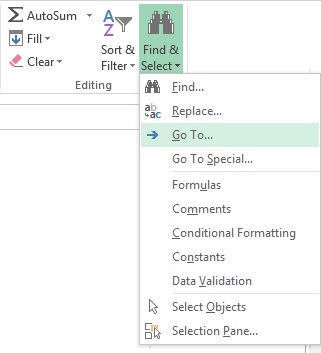
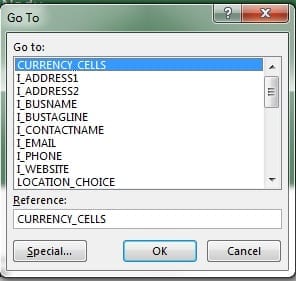
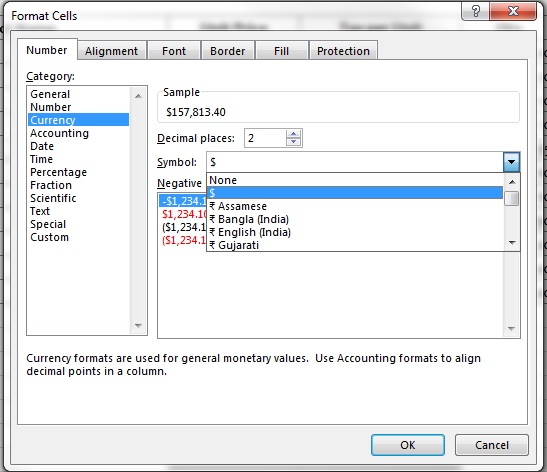
Choose CURRENCY_CELLS
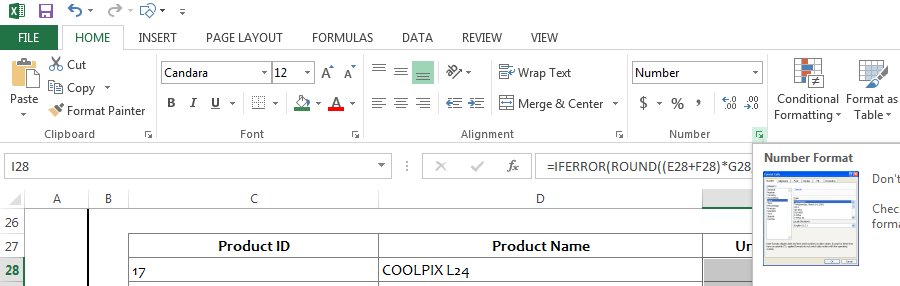
Press Ctrl+1 or click on the Number format menu.
3. WORKING WITH EXCEL TABLES
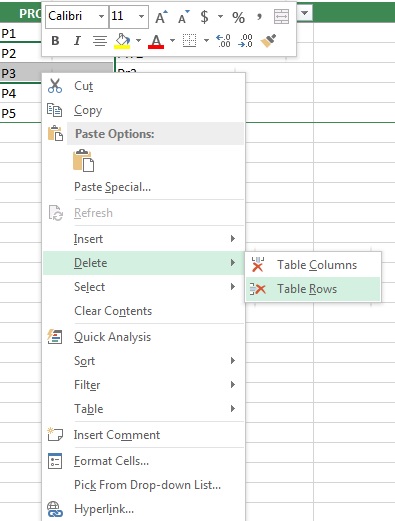
The template has several Excel Tables (link to Microsoft help). If you type data in the row after the last row of the table, then the table expands and includes your new row of data automatically. For deleting rows from a table, select cells from rows that you would like to delete. Right Click and select Delete—> Table Rows. This is the recommended way of adding and deleting data from tables.